
librosa.segment.timelag_filter#
- librosa.segment.timelag_filter(function, pad=True, index=0)[source]#
Apply a filter in the time-lag domain.
This is primarily useful for adapting image filters to operate on
recurrence_to_lagoutput.Using
timelag_filteris equivalent to the following sequence of operations:>>> data_tl = librosa.segment.recurrence_to_lag(data) >>> data_filtered_tl = function(data_tl) >>> data_filtered = librosa.segment.lag_to_recurrence(data_filtered_tl)
- Parameters:
- functioncallable
The filtering function to wrap, e.g.,
scipy.ndimage.median_filter- padbool
Whether to zero-pad the structure feature matrix
- indexint >= 0
If
functionaccepts input data as a positional argument, it should be indexed byindex
- Returns:
- wrapped_functioncallable
A new filter function which applies in time-lag space rather than time-time space.
Examples
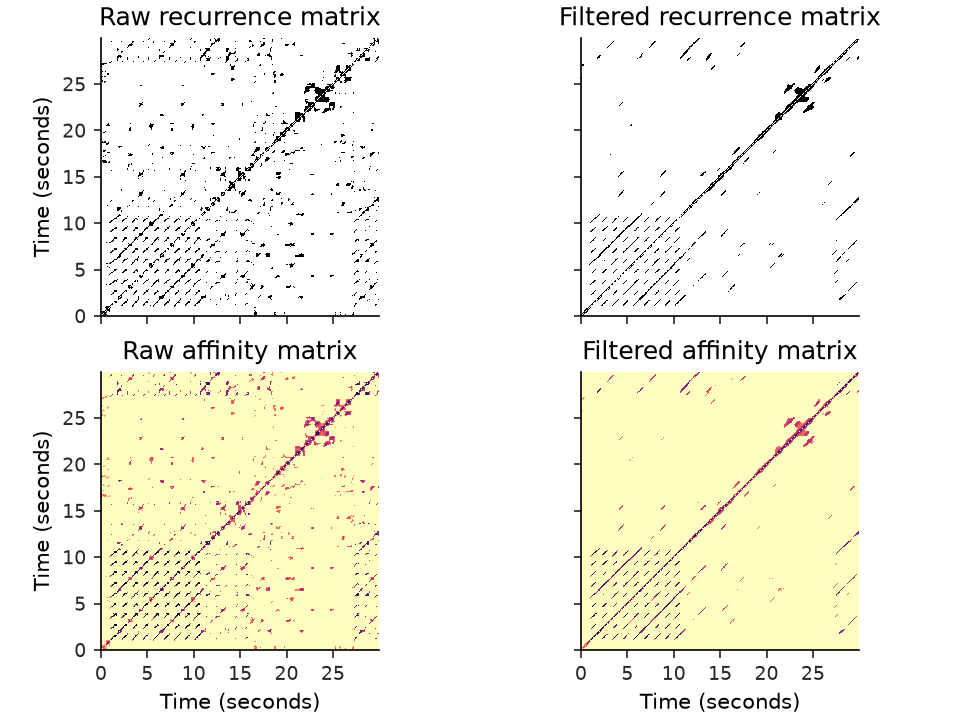
Apply a 31-bin median filter to the diagonal of a recurrence matrix. With default, parameters, this corresponds to a time window of about 0.72 seconds.
>>> y, sr = librosa.loadx("nutcracker", duration=30)
>>> chroma = librosa.feature.chroma_cqt(y=y, sr=sr)
>>> chroma_stack = librosa.feature.stack_memory(chroma, n_steps=3, delay=3)
>>> rec = librosa.segment.recurrence_matrix(chroma_stack)
>>> from scipy.ndimage import median_filter
>>> diagonal_median = librosa.segment.timelag_filter(median_filter)
>>> rec_filtered = diagonal_median(rec, size=(1, 31), mode="mirror")
Or with affinity weights
>>> rec_aff = librosa.segment.recurrence_matrix(chroma_stack, mode="affinity")
>>> rec_aff_fil = diagonal_median(rec_aff, size=(1, 31), mode="mirror")
>>> import matplotlib.pyplot as plt
>>> fig, ax = plt.subplots(nrows=2, ncols=2, sharex=True, sharey=True)
>>> librosa.display.specshow(rec, y_axis="s", x_axis="s", ax=ax[0, 0])
>>> ax[0, 0].set(title="Raw recurrence matrix")
>>> ax[0, 0].label_outer()
>>> librosa.display.specshow(rec_filtered, y_axis="s", x_axis="s", ax=ax[0, 1])
>>> ax[0, 1].set(title="Filtered recurrence matrix")
>>> ax[0, 1].label_outer()
>>> librosa.display.specshow(
...     rec_aff, x_axis="s", y_axis="s", cmap="magma_r", ax=ax[1, 0]
... )
>>> ax[1, 0].set(title="Raw affinity matrix")
>>> librosa.display.specshow(
...     rec_aff_fil, x_axis="s", y_axis="s", cmap="magma_r", ax=ax[1, 1]
... )
>>> ax[1, 1].set(title="Filtered affinity matrix")
>>> ax[1, 1].label_outer()